The SnapBill app
OHIP billing,from one photo of your list.
Photograph a whole patient list at the end of the day. SnapBill reads every patient and code, shows you each one on the photo, and turns them into claims checked before they go to OHIP.
- One photo of a whole patient list, census or sticker sheet becomes claims you review before they are made.
- Every claim is checked against the Schedule of Benefits before it goes to OHIP.
- OHIP code lookup with the current fee, restrictions and the exact Schedule page.
- Rejections, part payments and remittance advice, explained claim by claim.
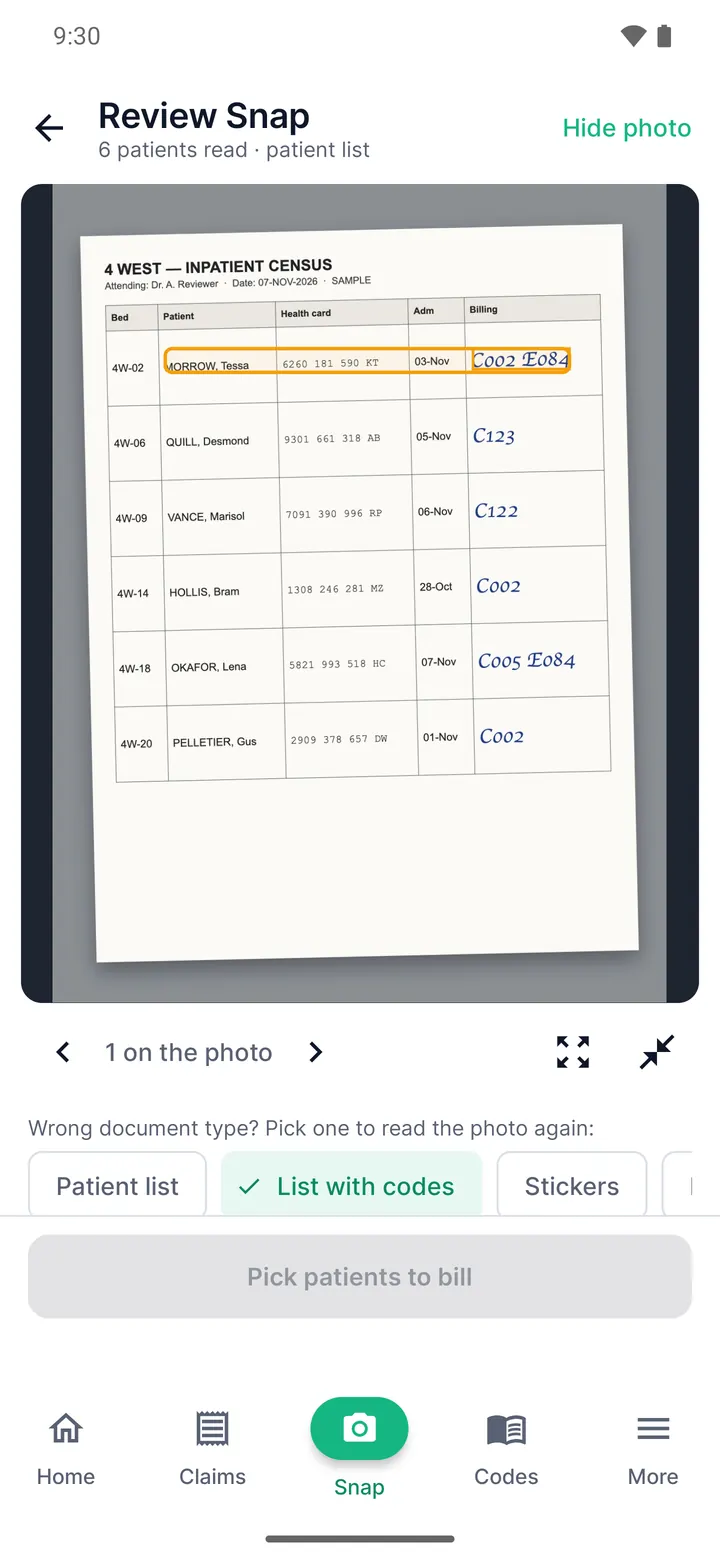
A sample list, read and highlighted for review
From the list to the deposit
Your SnapBill account, sized for your phone: the same claims, patient lists and payments you see on the web.
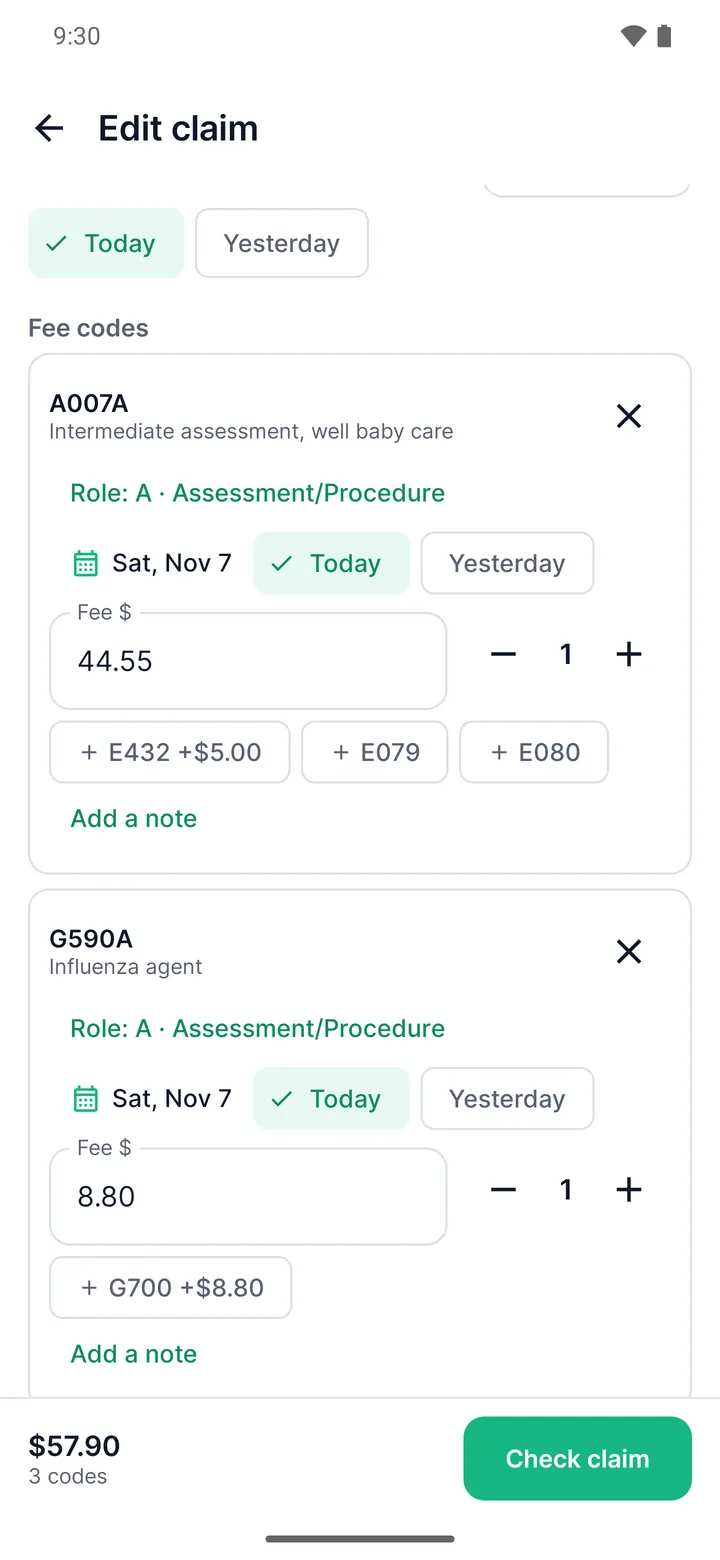
Checked before it goes
Each fee code shows its Schedule fee and one-tap premiums, and the claim is checked before it is sent to OHIP.
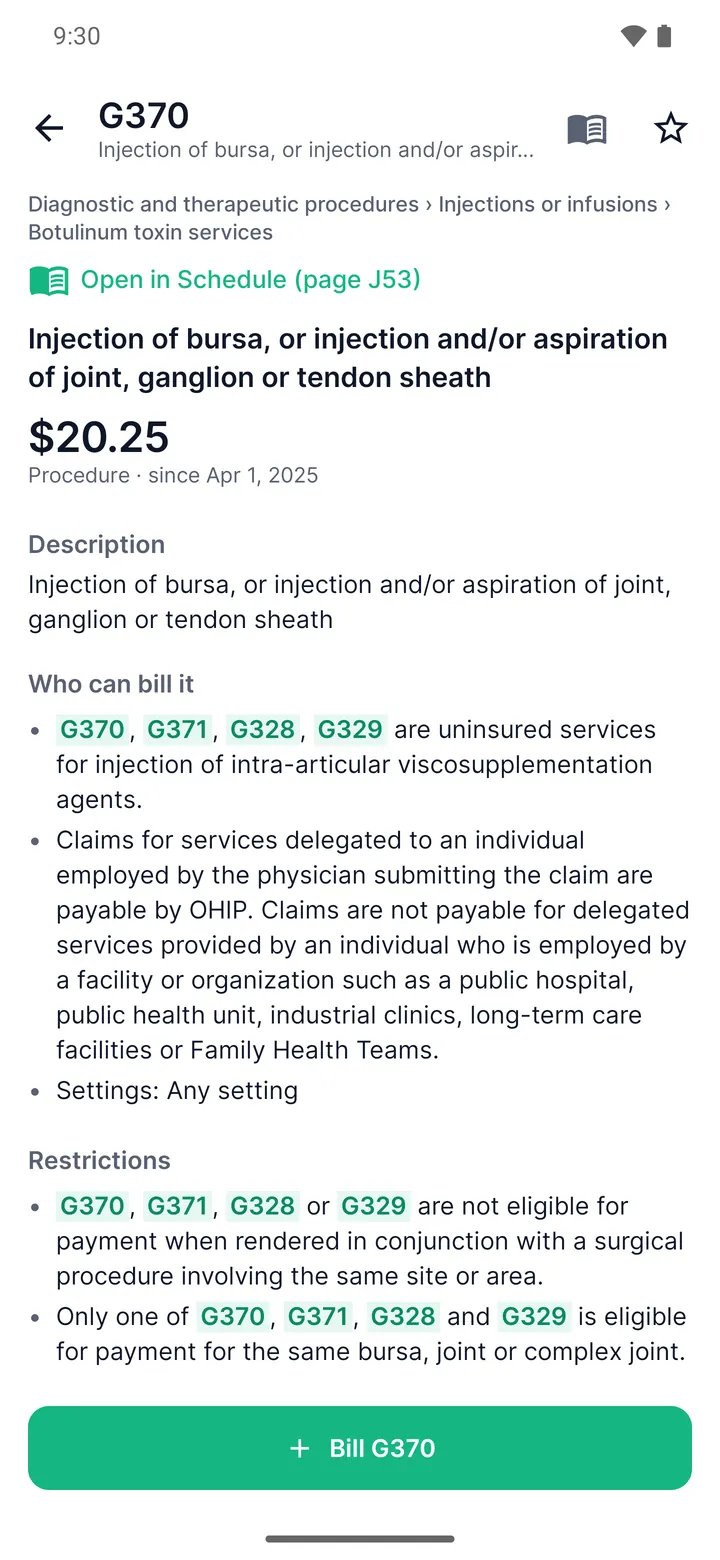
Any OHIP code, free
The current fee, who can bill it, its restrictions and a link to the exact Schedule page.
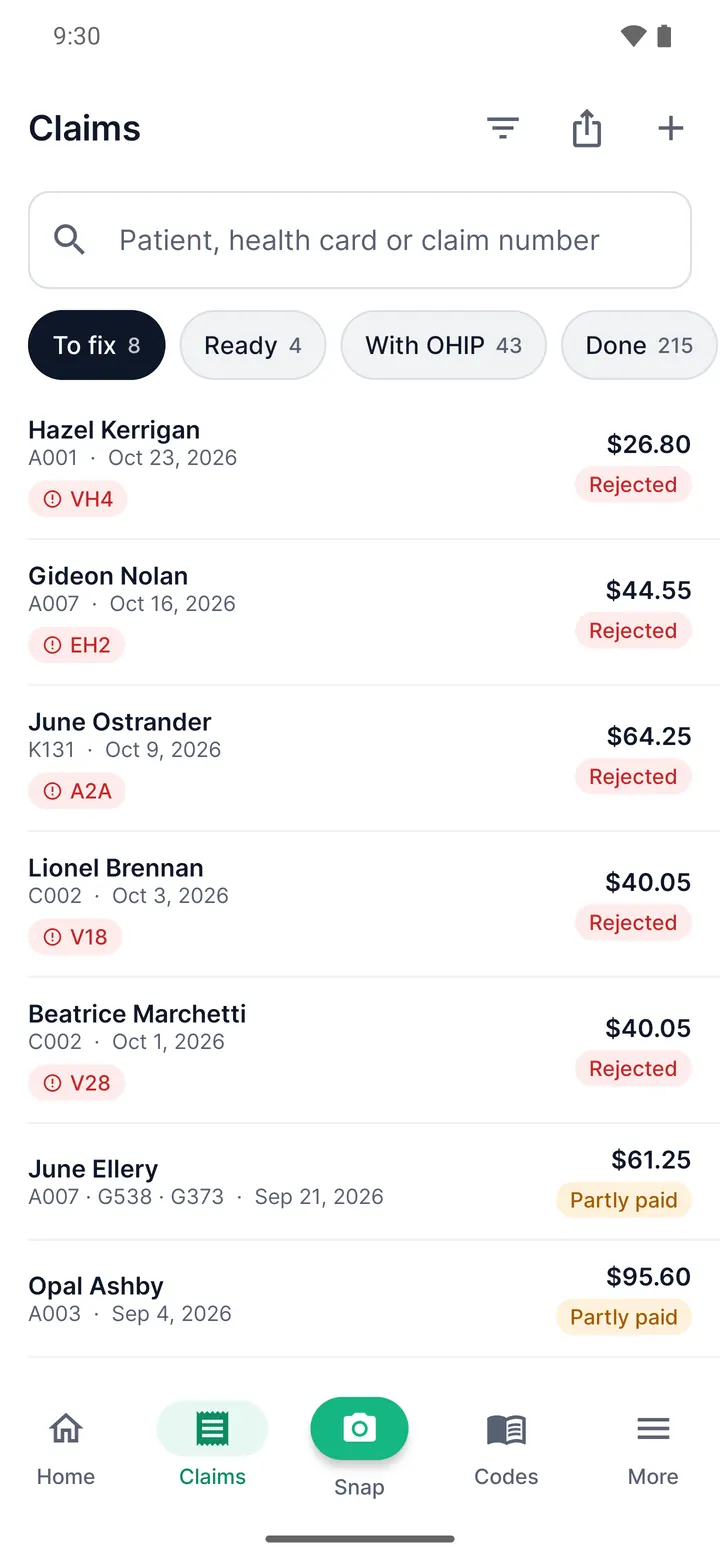
What needs you, first
Claims sorted into To fix, Ready, With OHIP and Done. OHIP error codes and part payments come first.
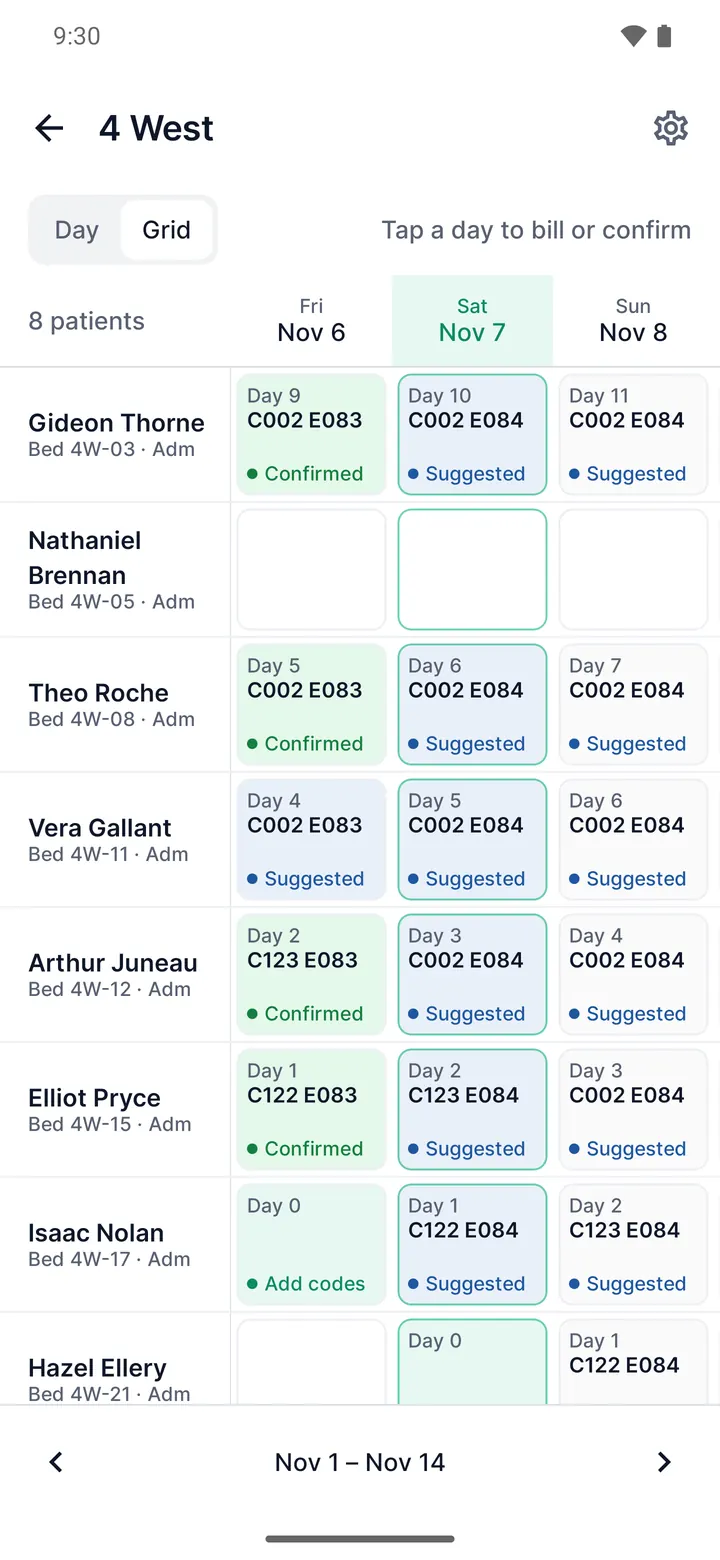
Rounding lists
Your in-patient list by day, with suggested visit codes and premiums ready to confirm or bill.
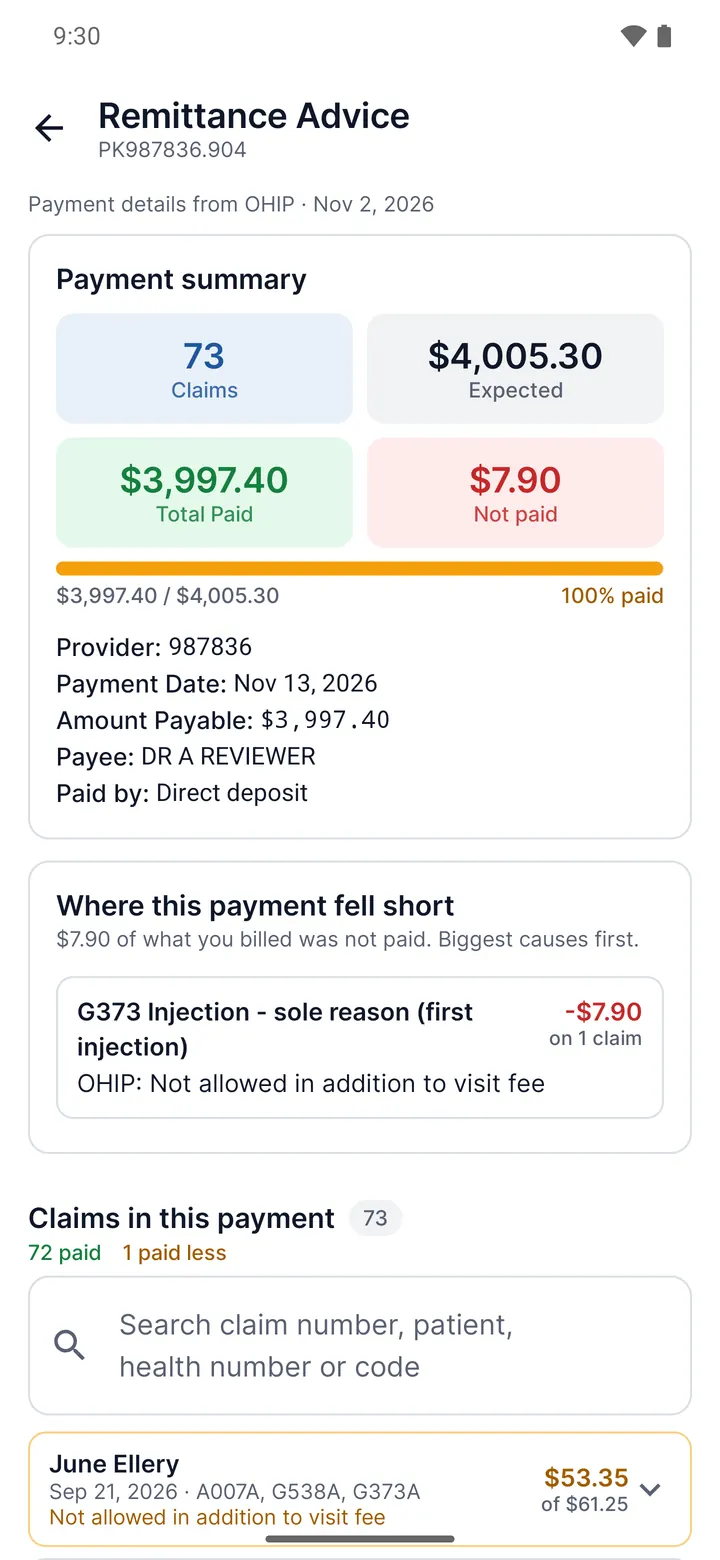
Every payment explained
What OHIP paid, what it held back and why, claim by claim.
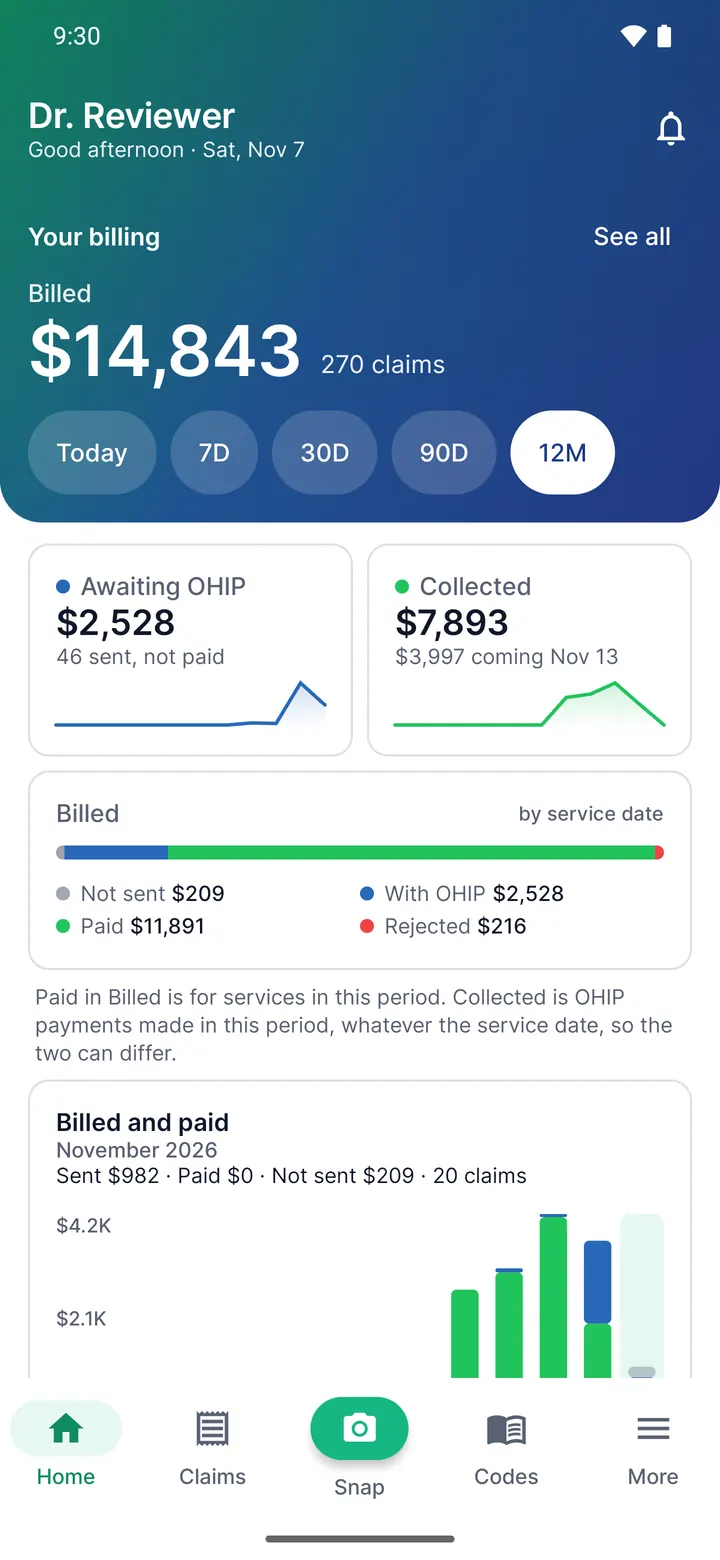
See what has been paid
What you billed, what OHIP still owes and what you collected, month by month.
Built by physicians
Install the app and sign in, or create your account on the web first. Both use the same account.